
A HIPAA Compliance Checklist is one of the most valuable tools for healthcare organizations looking to protect patient information, reduce security risks, and maintain regulatory compliance. Every healthcare provider, medical billing company, and virtual medical assistant who handles Protected Health Information (PHI) should understand the essential safeguards required by HIPAA.
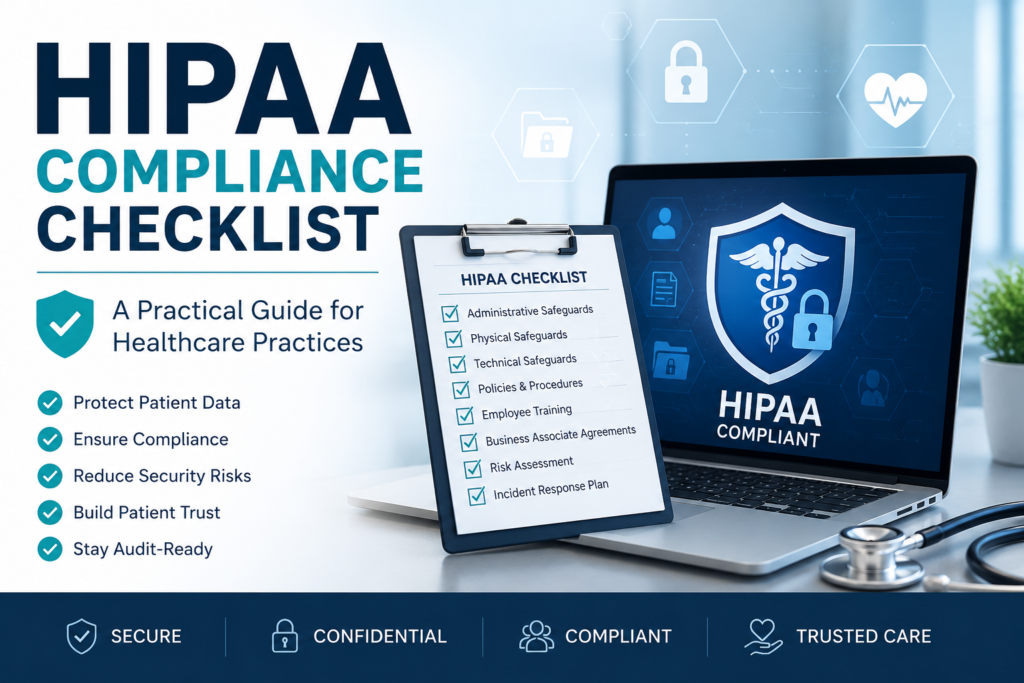
Whether you operate a private practice, specialty clinic, dental office, behavioral health facility, or multi-provider organization, following a structured HIPAA Compliance Checklist helps ensure your practice meets federal requirements while reducing operational risk.
At Mediora Solutions, we help healthcare providers streamline administrative processes through Medical Billing, Credentialing & Contracting, Prior Authorization, and Virtual Assistant services-allowing practices to focus on delivering exceptional patient care while maintaining compliance.
Table of Contents
What Is HIPAA? Understanding the HIPAA Compliance Checklist- Why HIPAA Compliance Checklist Matters
- Understanding the HIPAA Rules
- Complete HIPAA Compliance Checklist
- Staff Training Best Practices
- Common HIPAA Compliance Mistakes
- How Provider Credentialing Supports Compliance
- Why Compliance Matters in Medical Billing
- How Mediora Solutions Helps Healthcare Practices
- Frequently Asked QuestionsFinal Thoughts
- Request a Free Revenue Assessment
What Is HIPAA?
The Health Insurance Portability and Accountability Act (HIPAA) establishes national standards for protecting patients’ protected health information (PHI). The law requires healthcare providers, health plans, and business associates to implement administrative, physical, and technical safeguards that prevent unauthorized access to patient information.
HIPAA applies to:
- Physician practices
- Hospitals
- Behavioral health providers
- Dental clinics
- Billing companies
- Medical coders
- Virtual medical assistants
- Healthcare IT vendors
- Insurance companies
- Business associates handling PHI
Its primary goal is simple:
Protect patient privacy while allowing healthcare organizations to deliver quality care efficiently and securely.
Why HIPAA Compliance Matters
Healthcare organizations should also review the guidance published by the U.S. Department of Health & Human Services (HHS) regarding the HIPAA Privacy Rule and Security Rule. A strong HIPAA compliance program benefits healthcare organizations by:
- Protecting confidential patient information
- Reducing cybersecurity risks
- Preventing expensive penalties
- Building patient confidence
- Supporting smoother insurance and billing operations
- Strengthening operational efficiency
Beyond legal requirements, patients expect healthcare providers to protect their personal information with the highest level of care.
What Is Protected Health Information (PHI)?
Protected Health Information (PHI) includes any information that can identify a patient and relates to their health, treatment, or payment for healthcare services.
Examples include:
- Patient names
- Addresses
- Phone numbers
- Email addresses
- Medical record numbers
- Insurance information
- Appointment details
- Lab results
- Diagnoses
- Prescriptions
- Billing records
PHI exists in both paper and electronic forms (ePHI), and both must be protected appropriately.
Understanding the HIPAA Rules
Privacy Rule
The Privacy Rule regulates how patient information may be used and disclosed while giving patients specific rights over their health records.
Key Requirements
- Limit unnecessary disclosures
- Provide Notice of Privacy Practices
- Allow patients access to their records
- Maintain confidentiality
Security Rule
The Security Rule focuses specifically on electronic Protected Health Information (ePHI).
Organizations must implement:
- Access controls
- Password policies
- Data encryption
- Audit logs
- Security monitoring
- Disaster recovery procedures
Breach Notification Rule
If protected health information is compromised, healthcare organizations must notify affected individuals and comply with applicable reporting requirements within required timelines.
Complete HIPAA Compliance Checklist
Below is a practical checklist every healthcare organization should review regularly.
✅ Administrative Safeguards
Administrative safeguards establish the policies and procedures that govern how your organization protects patient information.
1. Conduct Regular Risk Assessments
Identify vulnerabilities involving:
- Electronic health records
- Medical billing software
- Cloud storage
- Employee devices
- Third-party vendors
Risk assessments should be performed periodically and documented.
2. Secure Patient Information
Implement safeguards including:
- Multi-factor authentication
- Strong passwords
- Automatic logoff
- Encryption
- Secure backups
These measures significantly reduce unauthorized access.
3. Restrict Access
Employees should only access information necessary for their job responsibilities.
Training should include:
- HIPAA basics
- Phishing awareness
- Password security
- Email safety
- Mobile device protection
- Reporting suspicious activity
Annual refresher training is recommended.
4. Maintain Written Policies
Every healthcare organization should document procedures covering:
- Privacy practices
- Security policies
- Incident response
- Password requirements
- Device usageData retention
- Data retention
Documentation demonstrates accountability and supports audits.
5. Execute Business Associate Agreements (BAAs)
Third-party vendors that handle PHI-including medical billing companies, cloud storage providers, and IT vendors-should have appropriate Business Associate Agreements in place before accessing patient information.
7. Protect Physical Records
Compliance extends beyond digital information.
Secure:
- Filing cabinets
- Paper records
- Workstations
- Printers
- Reception areas
Unauthorized individuals should never have access to patient information.
8. Monitor System Activity
Organizations should continuously review:
- Login attempts
- Failed authentications
- Access logs
- File changes
- System alerts
Monitoring helps detect suspicious behavior early.
9. Develop an Incident Response Plan
Every practice should know exactly what to do if a security incident occurs.
Include procedures for:
- Investigation
- Containment
- Documentation
- Notifications
- Corrective actions
Preparation reduces downtime and improves response efficiency.
10. Review HIPAA Compliance Checklist Regularly
HIPAA compliance evolves as technology and regulations change.
Conduct periodic reviews to:
- Update policies
- Improve security
- Address new threats
- Train employees
- Evaluate vendors
Compliance should be viewed as an ongoing improvement process.
Employee Training
Every team member should receive HIPAA training before accessing patient information and continue with regular refresher training.
Training should include:
- Privacy requirements
- Secure password practices
- Recognizing phishing attempts
- Email security
- Safe handling of PHI
- Reporting suspected breaches
- Remote work expectations
Physical Safeguards
Protecting physical access to patient information is just as important as cybersecurity.
Secure Workstations
Healthcare workstations should:
- Automatically lock when unattended
- Face away from public view
- Require user authentication
- Restrict unauthorized access
Secure Paper Records
Paper documents containing PHI should be:
- Stored in locked cabinets
- Accessed only by authorized personnel
- Properly shredded before disposal
Control Facility Access
Limit access to:
- Server rooms
- Medical records storage
- Administrative offices
- Network equipment
Visitor access should be monitored whenever appropriate.
Technical Safeguards
Technology plays a major role in HIPAA compliance.
Strong Password Policies
Require:
- Complex passwords
- Unique credentials for each employee
- Multi-factor authentication whenever possible
- Regular password updates
Never share login credentials among employees.
Encrypt Patient Information
Encryption protects sensitive data during storage and transmission.
Encrypt:
- Email communications containing PHI
- Portable devices
- Laptops
- Backup drives
- Cloud storage
Secure Networks
Your IT environment should include:
- Firewalls
- Antivirus software
- Endpoint protection
- Automatic software updates
- Secure Wi-Fi
- VPN access for remote users
Audit Logs
Maintain audit logs showing:
- User logins
- Patient record access
- File modifications
- Failed login attempts
Regularly reviewing logs can help identify unusual activity before it becomes a larger issue.
Business Associate Agreements (BAAs)
Healthcare organizations often work with third-party vendors that handle PHI.
Examples include:
- Medical billing companies
- Credentialing providers
- Cloud hosting services
- Virtual medical assistant companies
- IT support vendors
- Practice management software providers
Each applicable vendor should have a signed Business Associate Agreement (BAA) that clearly outlines responsibilities for protecting PHI.
HIPAA Compliance Checklist for Remote Teams
Remote work has become increasingly common across healthcare administration.
If your practice uses remote medical billers, virtual assistants, or medical scribes, consider the following safeguards:
- Use secure VPN connections
- Restrict access to authorized devices
- Require multi-factor authentication
- Prohibit public Wi-Fi for handling PHI
- Ensure workspaces are private
- Lock computers when unattended
- Keep software updated
- Monitor user access regularly
Organizations that outsource administrative tasks should also verify that their service providers follow HIPAA-compliant processes and maintain appropriate security controls.
Common HIPAA Violations
Many violations occur because of preventable mistakes rather than intentional misconduct.
Examples include:
- Leaving patient records unattended
- Sending PHI to the wrong recipient
- Weak or shared passwords
- Lost laptops containing patient information
- Accessing records without a business need
- Using unsecured messaging applications
- Inadequate employee training
- Failure to terminate access for former employees
Awareness and routine oversight can significantly reduce these risks.
Frequently Asked Questions
Final Thoughts
Maintaining HIPAA compliance is essential for protecting patient privacy, supporting operational excellence, and minimizing legal and financial risks. A proactive approach-combining regular risk assessments, employee training, secure technology, and well-documented policies-helps healthcare organizations stay prepared in an evolving regulatory environment.
Organizations that integrate compliance into their daily workflows are better positioned to earn patient trust, reduce administrative challenges, and improve long-term performance.
Internal Linking Suggestions
Within your website, link naturally to the following pages:
- Medical Billing → Learn how our billing experts help improve reimbursement while maintaining compliant workflows.
- Credentialing & Contracting → Discover how efficient provider enrollment supports accurate records and operational readiness.
- Virtual Assistant → Explore administrative support that helps your team stay productive and organized.
- Prior Authorization → See how we streamline authorization processes to reduce delays and administrative burden.
- Contact Us → Speak with our team about solutions tailored to your healthcare practice.
Request a Free Revenue Assessment
HIPAA compliance and efficient revenue cycle management go hand in hand. If your practice is looking to strengthen compliance, improve billing performance, reduce administrative workload, or streamline provider credentialing, Mediora Solutions is here to help.
Request a Free Revenue Assessment today and discover how our experienced healthcare support team can help your practice operate more efficiently while protecting patient information and maximizing financial performance.